Trantor Maven Plugin
Trantor Maven Plugin
用户在使用trantor构建自己的应用时,需要把元信息上报给meta-store管理。
在pom文件下增加插件配置
<plugin> <groupId>io.terminus.trantor</groupId> <artifactId>trantor-metadata-maven-plugin</artifactId> <configuration> <moduleKey>trantor_question</moduleKey> <repositoryUrl>http://trantor.terminus.io:8082/terminus/trantor</repositoryUrl> <includeDepends>true</includeDepends> </configuration> <executions> <execution> <goals> <goal>deploy</goal> </goals> </execution> </executions></plugin>其中:
moduleKey 为上报的模块key。
repositoryUrl为meta-store-management请求url地址,请求格式为:
<repositoryUrl>http://{remoteMetaStoreURL}/{tenantCode}/{projectCode}</repositoryUrl>includeDepends 为资源一键上报,相当于包含所有依赖模块,一起上报,模块依赖顺序取的是trantor.yml中的dependencies部分。为了保证原数据安全,includeDepends仅在本地模式中有效。
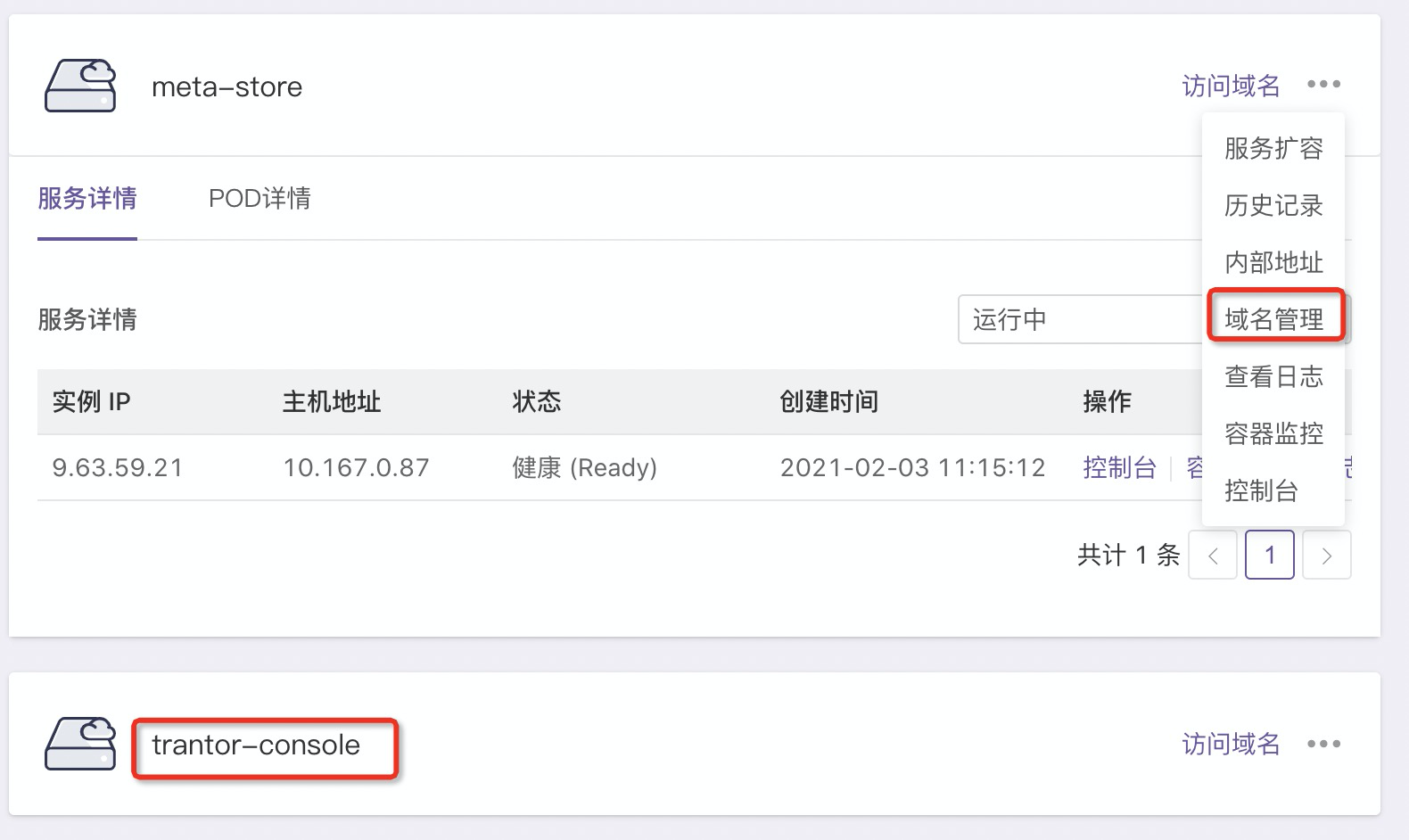
remoteMetaStoreURL为交付控制台(console)对应的meta-store域名,如果没有域名,从域名管理添加,见下图。
tenantCod为需要上报的租户标识。
projectCode为需要上报的项目标识。
执行mvn
一般发布资源执行:
mvn clean compile -Dtrantor.deploy=true资源发布的同时在当前Impl模块目录生成元信息文件,文件名:trantor-module-metadata.json,执行:
mvn clean compile -Dtrantor.deploy=true -Dtrantor.output=true一键资源上报:
mvn clean compile -Dtrantor.deploy=true -Dtrantor.deploy.includeDepends=true