缓存
Trantor缓存
缓存作为优化查询性能最常用的手段之一,在很多场景都有广泛的使用,为了能更好地将缓存作为一种资源纳入 Trantor 内部并且提供更好的资源管理能力,所以 Trantor 提供了缓存机制。
您可能会有疑问,我们为什么推荐您使用trantor的缓存机制,而不是通过各类第三方工具类库直接操作缓存呢?答案有几点:
- 为了能将缓存具现化,真正作为一种资源在trantor体系内进行管理和维护,并使之具备扩展能力。
- 在实现资源管理和扩展能力后,在二开定制场景,能更加明确地向二开人员展现出缓存资源和统一的扩展方式。
- 另外一点,Trantor 的 LogicFlow/LogicFunction/ExtensionPoint 在编写时,不关心是否在同一个 JVM,是否是 RPC,所以 Trantor 提供的缓存最好也是集中式的,这样实现和排查问题都比较简单,暂不考虑二级缓存等特性。
缓存作为优化查询性能最常用的手段之一,在很多场景都有广泛的使用,所以 Trantor 也提供相应的支持。
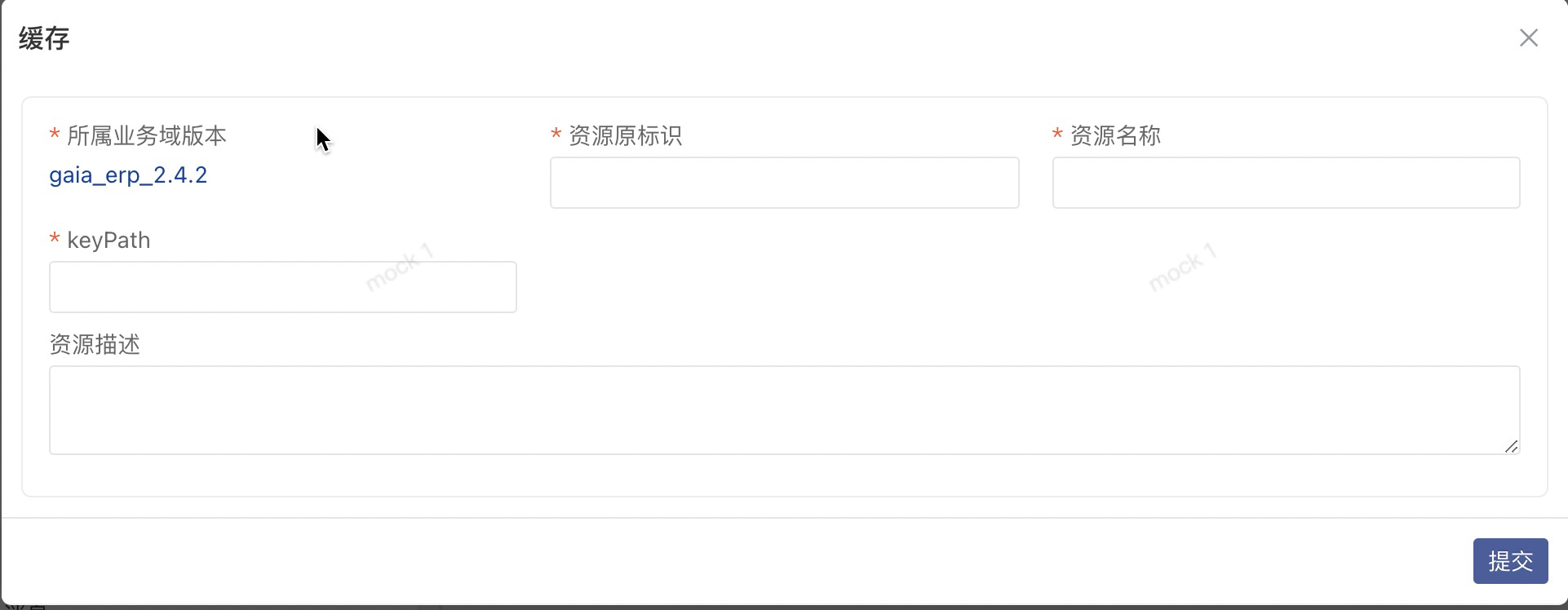
在线编辑缓存声明
进入 制品中心->配置->业务域->缓存,新增缓存:
定义缓存实现
- 缓存实现的声明是一个
Java Class,实现对应的缓存声明接口,并且实现get方法; - 缓存实现需要打上
@CacheImpl的注解,注解上可以声明缓存有效时间; - 缓存实现逻辑上可以调用 DS 的相关 API 和可编排服务 Function;
- 缓存的实现建议统一放到
implement子模块的xxx.xxx.cache.impl包下;
- 简单key对象实现
@CacheImpl(name = "Item cache", expire = 30 * 60 * 1000)public class SimpleKeyItemBrandCacheImpl implements SimpleKeyItemBrandCache {
@Override public BrandBO get(Long id) { ItemBO itemBO = DS.findOne( ItemBO.class, "*, brand.*", "id = ?", id ); return null == itemBO ? null : itemBO.getBrand(); }}- 复杂key对象实现
@CacheImpl(name = "Item cache", expire = 30 * 60 * 1000)public class ItemBrandCacheImpl implements ItemBrandCache {
    @Override    public BrandBO get(ItemBO item) {        ItemBO itemBO = DS.findOne(                ItemBO.class, "*, brand.*", "id = ?", item.getId()        );        return null == itemBO ? null : itemBO.getBrand();    }}
缓存使用
缓存对象可以在所有被 Spirng 管理的 Bean 中声明成一个属性对象,但一般我们更适合的场景是在现有的逻辑流 Flow 或可编排服务 Function 中使用。
-
get
getAPI是一种LoadingCache的思路,使用方式如上面实例所示:- 当缓存中存在目标key时,直接返回缓存key的value;
- 当缓存不存在目标key时,先执行get方法内部逻辑,将执行结果进行缓存后返回;
@FunctionImpl(name = "find brand via item")public class QueryItemBrandFuncImpl implements QueryItemBrandFunc {// 通过构造方法自动注入private ItemBrandCache itemBrandCache;public QueryItemBrandFuncImpl(ItemBrandCache itemBrandCache) {this.itemBrandCache = itemBrandCache;}@Overridepublic BrandBO execute(ItemBO item) {// 省略...BrandBO brandBO = itemBrandCache.get(item);// 省略...return brandBO;}} -
put
put方法的使用只需要定义声明ItemBrandCache即可,因为put方法不需要跟get方法一样支持自定义逻辑,可以被代理逻辑覆盖。itemBrandCache.put(brandBO, brandBO); -
invalidate
invalidate:表示失效当前缓存声明下的某个key的缓存数据。使用方式参考
putitemBrandCache.invalidate(brandBO); -
clear
clear:表示清除继承于当前缓存声明的所有缓存实现类操作的缓存数据。使用方式参考
putitemBrandCache.clear();
缓存资源的管理
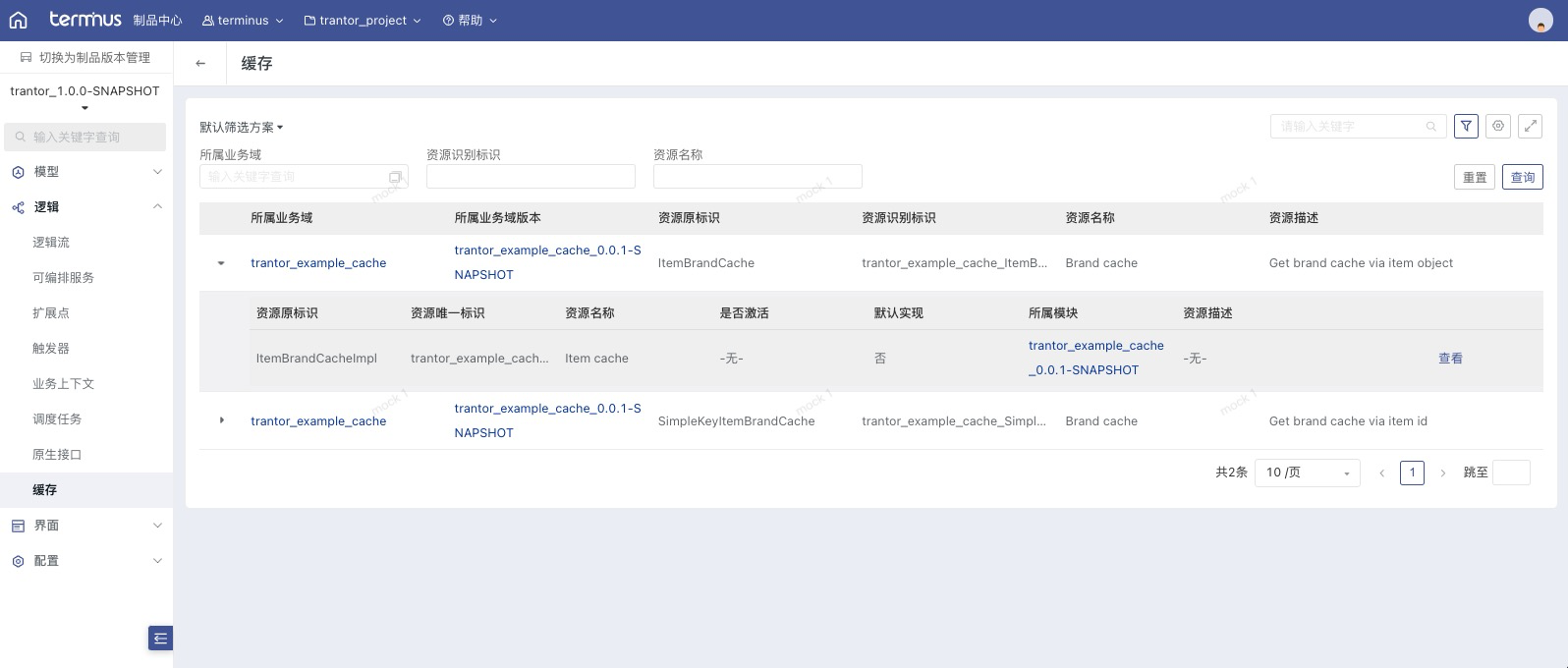
本地编写好相关代码,进行元数据上报和执行资源发布后,可以在交互控制台查看缓存资源信息,如下:
研发态:
运行态:
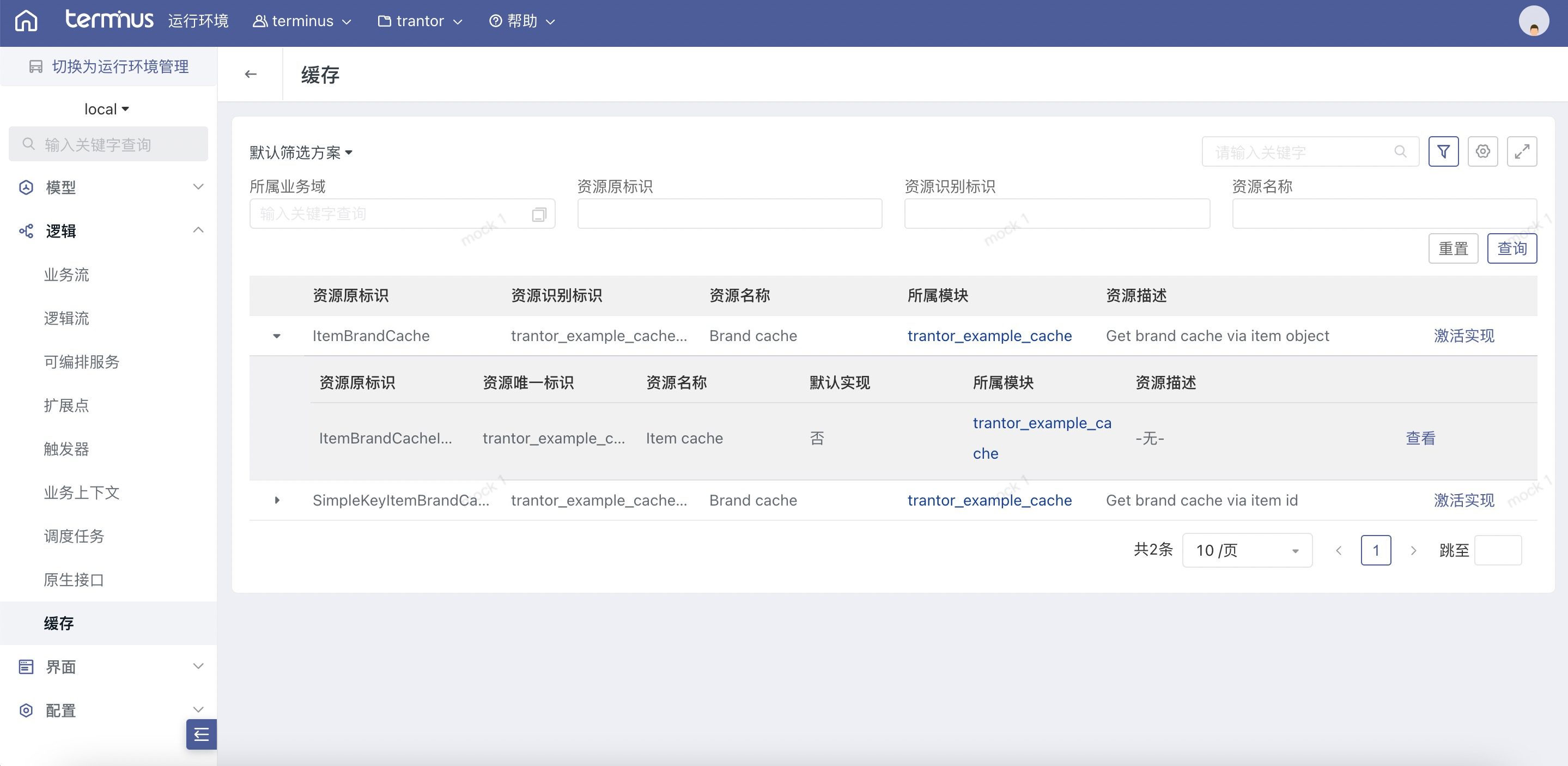
激活实现:我们可以看一下缓存 trantor_example_cache_ItemBrandCache 当前激活实现。
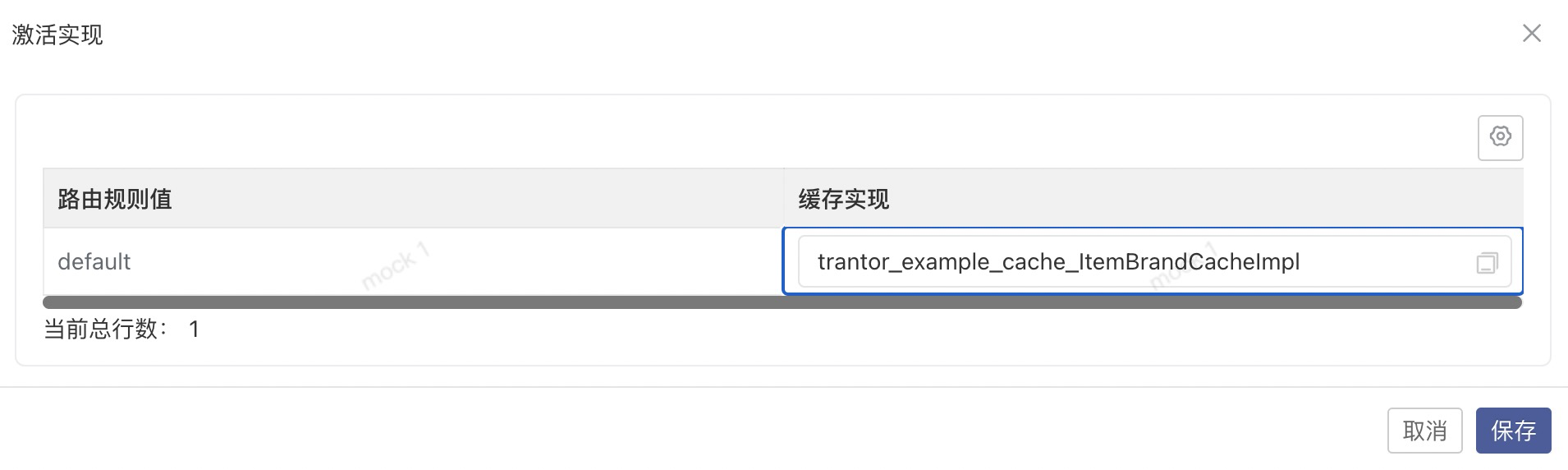
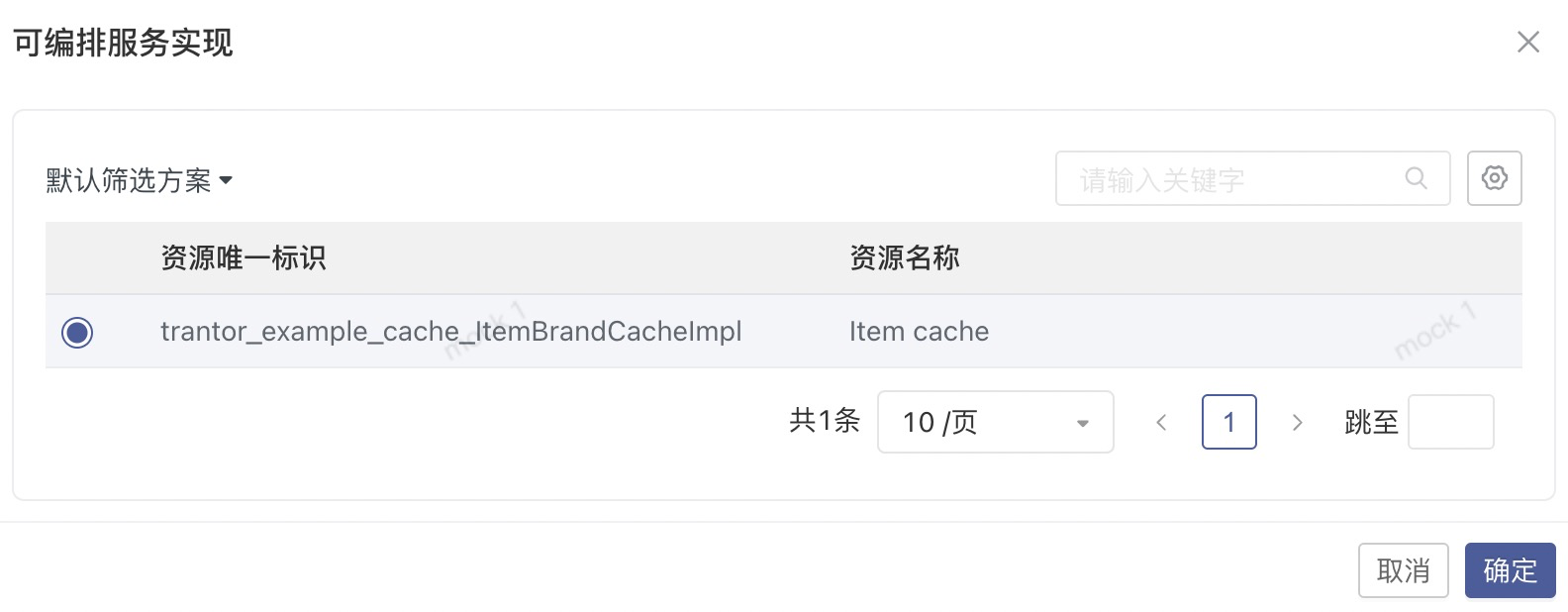
可以看到现在缓存已经激活的实现是 trantor_example_cache_ItemBrandCacheImpl ,在存在定制二开的场景下,缓存可能存在多个实现,我们可以在这里更换激活实现,让对应的缓存实现生效。
功能验证
为了验证缓存的效果,我们可以使用前文里给出的代码仓库下载相关代码demo,并且稍微调整下缓存的 get 逻辑,加个日志打印,如下:
@Slf4j@CacheImpl(name = "Item cache", expire = 30 * 60 * 1000)public class ItemBrandCacheImpl implements ItemBrandCache {
    @Override    public BrandBO get(ItemBO item) {        log.info("Query brand info from DB and cache it");        ItemBO itemBO = DS.findOne(                ItemBO.class, "*, brand.*", "id = ?", item.getId()        );        return null == itemBO ? null : itemBO.getBrand();    }}
编写一个 Function 调用缓存加载逻辑,并且用于前端调用,Function 声明省略,如下:
@FunctionImpl(name = "query item brand")public class QueryItemBrandFuncImpl implements QueryItemBrandFunc {
    // 通过构造方法自动注入    private ItemBrandCache itemBrandCache;
    public QueryItemBrandFuncImpl(ItemBrandCache itemBrandCache) {        this.itemBrandCache = itemBrandCache;    }
    @Override    public BrandBO execute(ItemBO item) {        return itemBrandCache.get(item);    }}
视图 CustomBrandDetail.view.xml 调用 QueryItemBrandFunc 加载品牌详情数据,如下:
<View title="品牌" forModel="trantor_example_cache_BrandBO" type="Detail" version="2"> <Detail model="trantor_example_cache_BrandBO" dataFunction="trantor_example_cache_QueryItemBrandFunc" dataParams="{id: pageContext.record.id}"> <Fields> <Field name="brandName"/> </Fields> </Detail></View>视图 CustomItemList.view.xml 用于配置菜单,如下:
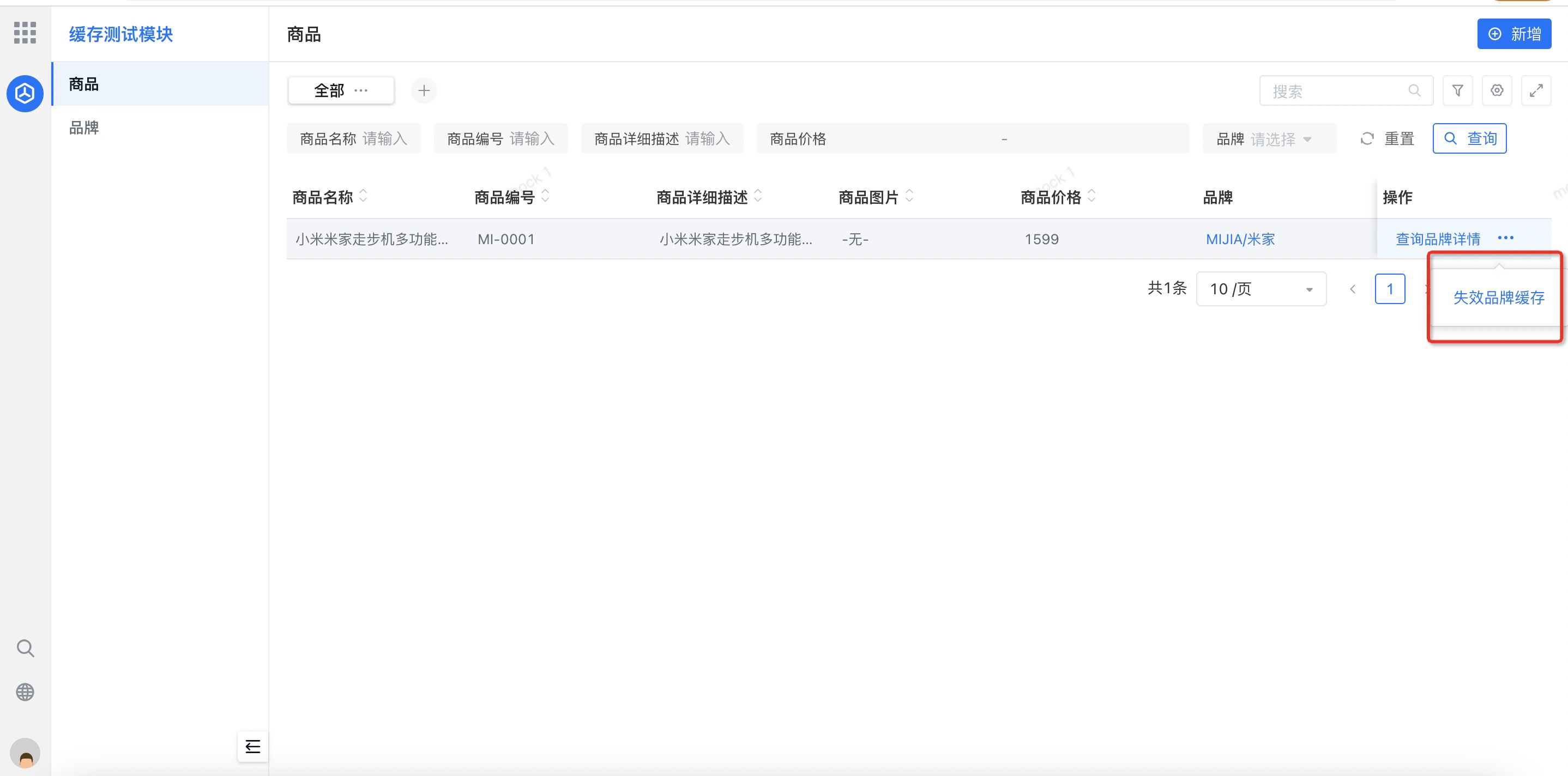
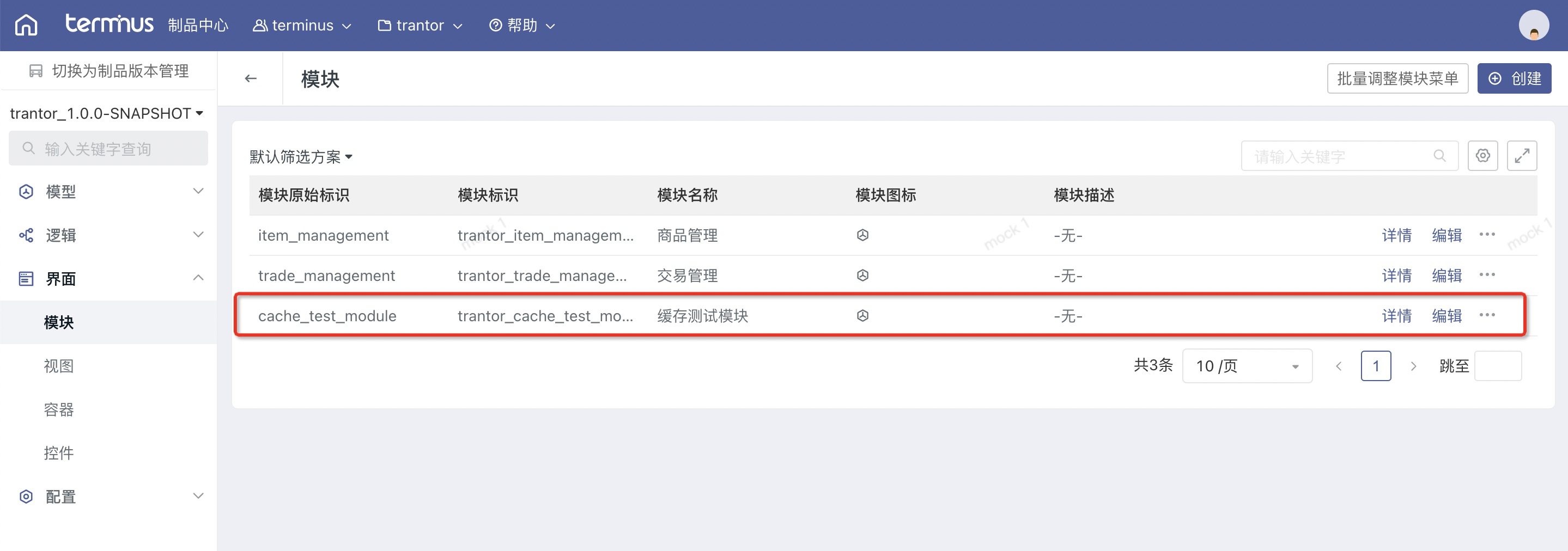
<View title="商品" forModel="trantor_example_cache_ItemBO" type="List" menuView="true" version="2"> <Table key="table" model="trantor_example_cache_ItemBO" dataCondition=""> <Search> <Fields> <Field name="itemName"/> <Field name="itemNumber"/> <Field name="itemDesc"/> <Field name="itemPrice"/> <Field name="brand"/> </Fields> </Search> <RecordActions label="操作"> <Action label="查询品牌详情" targetView="trantor_example_cache_BrandBO_CustomBrandDetail"/> <Action label="失效品牌缓存" logicFunction="trantor_example_cache_InvalidateItemBrandFunc" after="Refresh"/> </RecordActions> <Fields> <Field name="itemName"/> <Field name="itemNumber"/> <Field name="itemDesc"/> <Field name="itemImage"/> <Field name="itemPrice"/> <Field name="brand"/> </Fields> <Actions> <Action layout="Header" type="Create" targetView="trantor_example_cache_ItemBO__Form__builtIn"/> </Actions> </Table></View>在本地编译上报元信息后进入交互控制台创建一个测试模块,如下:
配置菜单:菜单视图选择demo里自定义的视图资源,如下:
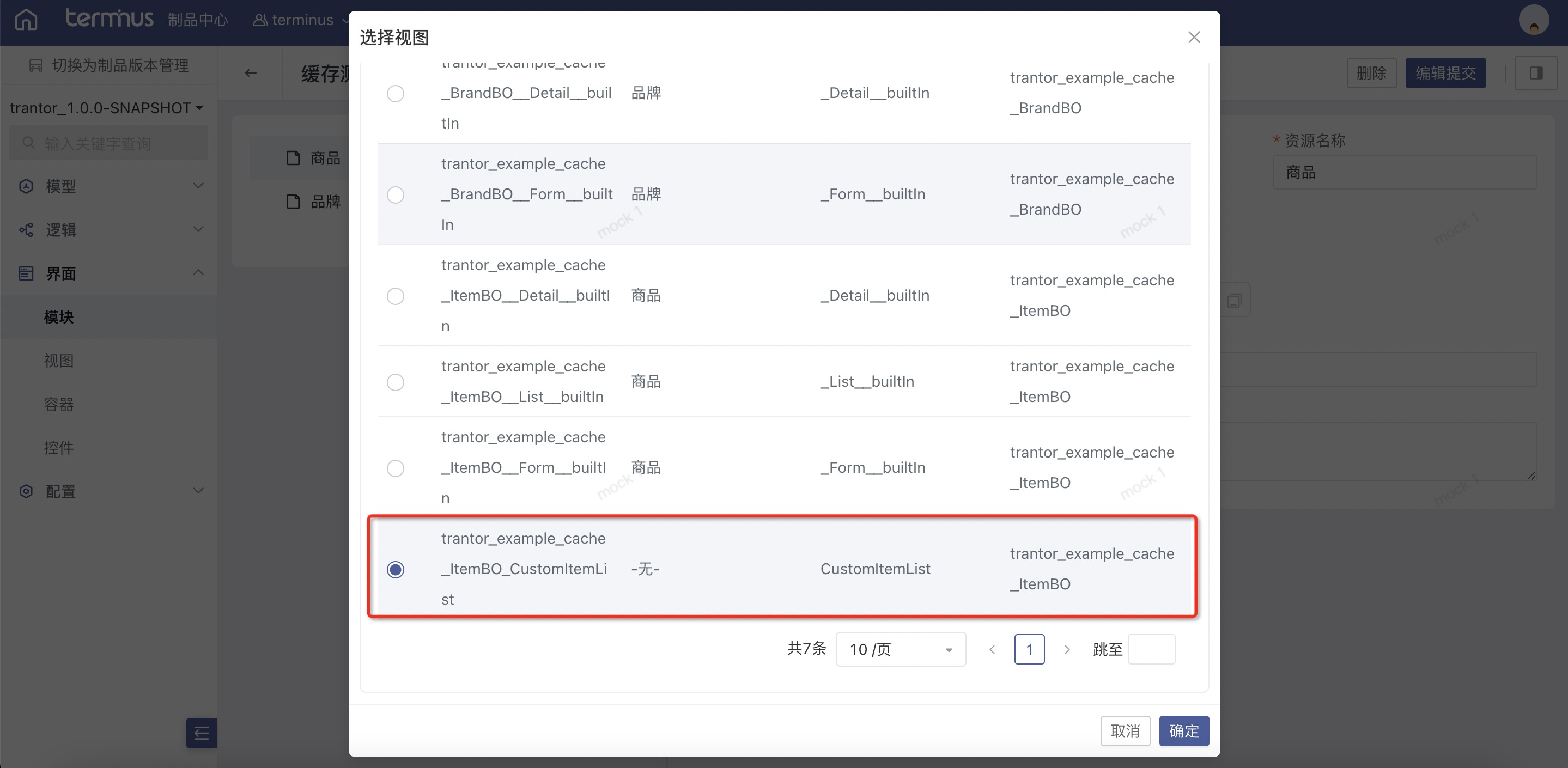
相关数据准备:主要的商品和品牌数据可以自行创建,如何创建?您可以直接通过脚本插入数据,或者同样在模块里配置相关数据对象的菜单,然后在交互统一工作台上通过界面创建,这里就不展开说了。
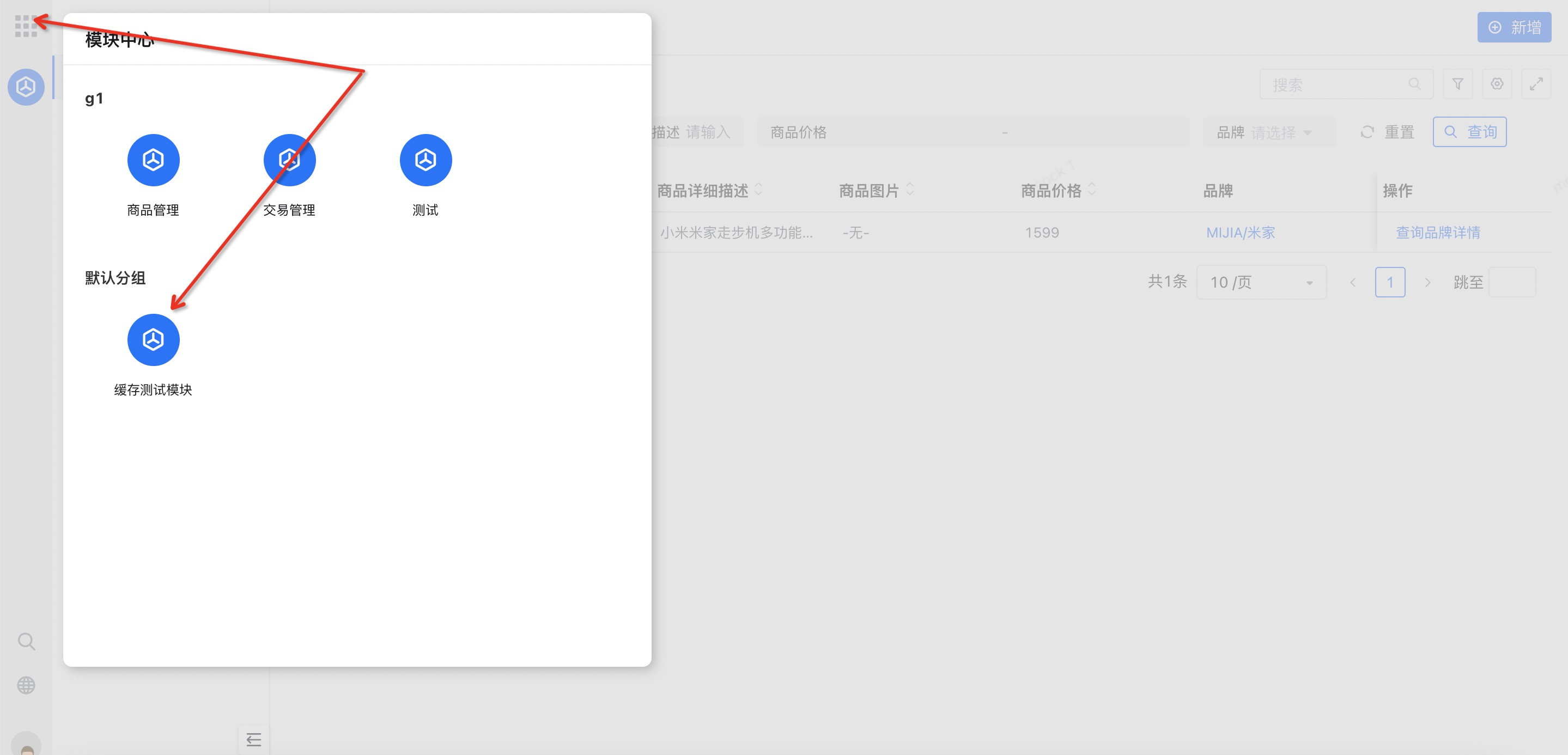
新创建的模块资源需要通过 资源发布 推送到运行态环境,请别忘了这一步,执行完之后,我们可以打开统一工作台,打开模块中心,选择对应的模块应用进入。
在我们配置的菜单视图里创建完数据后,点击每条记录右侧的 “查询品牌详情” 按钮,可以触发缓存加载逻辑。
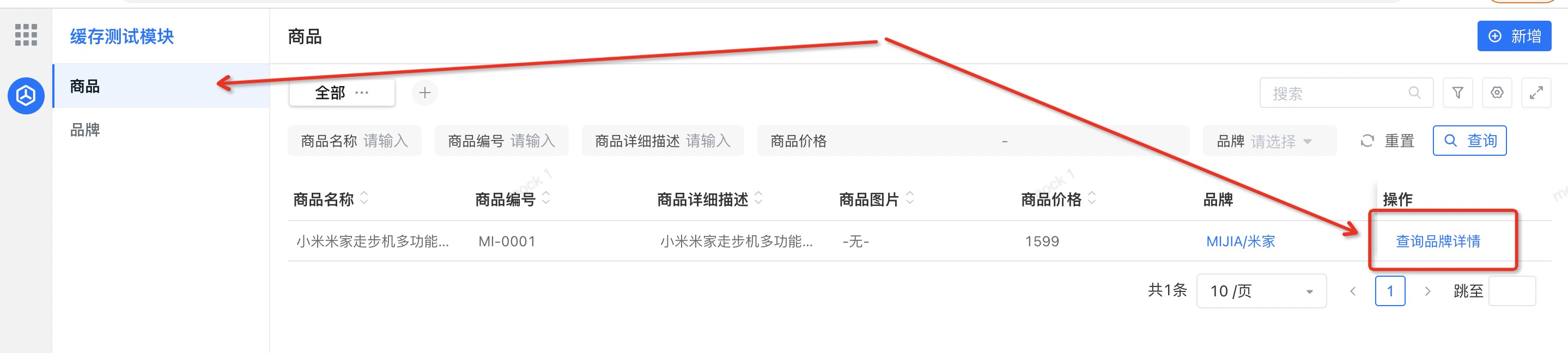
触发后查看应用日志,有打印出自定义的日志信息,如下:
2021-06-08 11:52:23.079 INFO 86386 --- [nio-8080-exec-2] i.t.t.e.cache.impl.ItemBrandCacheImpl : Query brand info from DB and cache it由于我们给缓存设置了过期时间,因此在过期之前重复触发不会打印日志,在过期时间达到后再触发,会再次看到目标日志。
2021-06-08 13:44:00.136 INFO 86386 --- [nio-8080-exec-9] i.t.t.e.cache.impl.ItemBrandCacheImpl : Query brand info from DB and cache it另外,视图上也提供了主动失效目标商品品牌缓存的按钮,可自行验证。