New Trantor
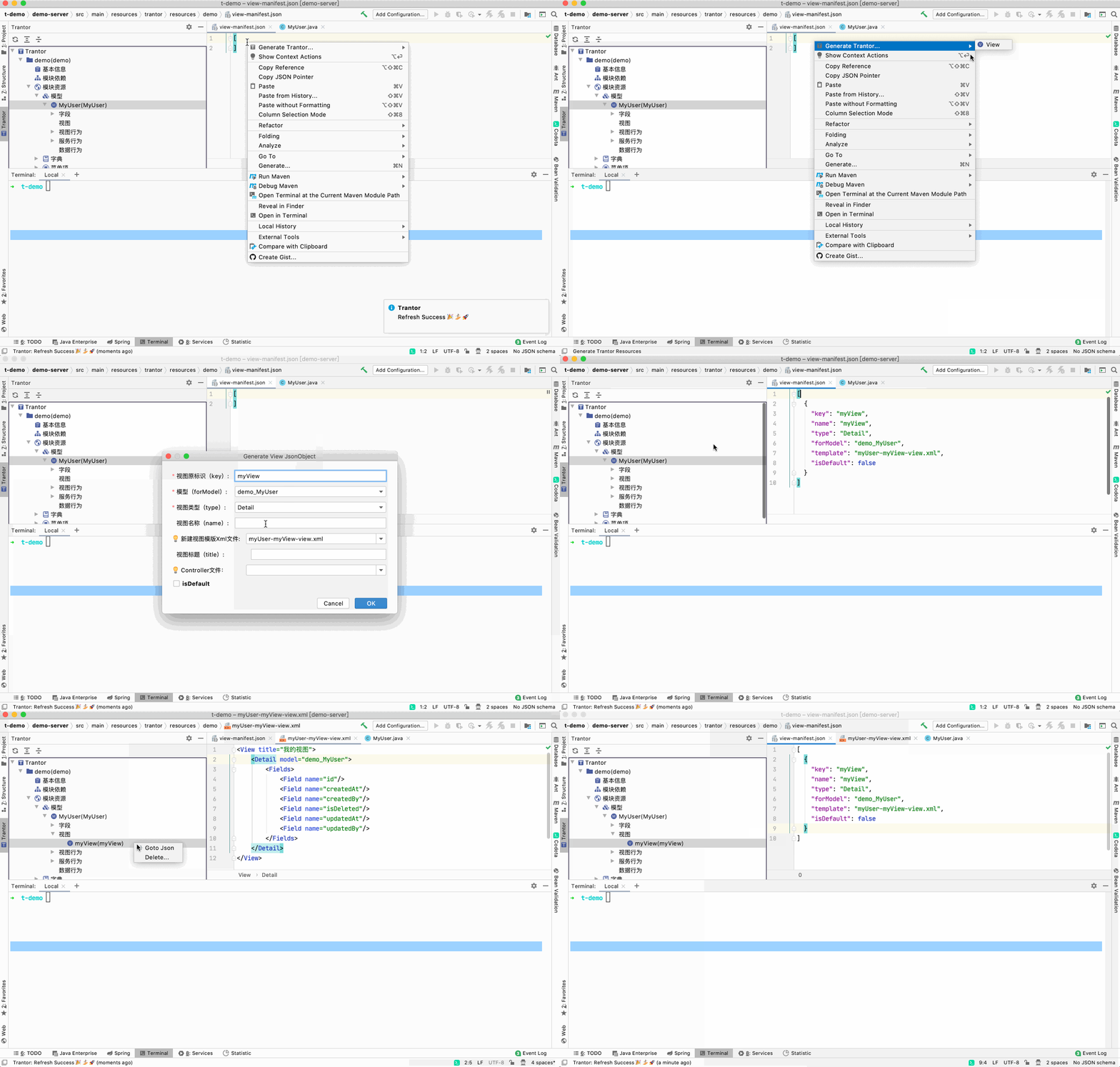
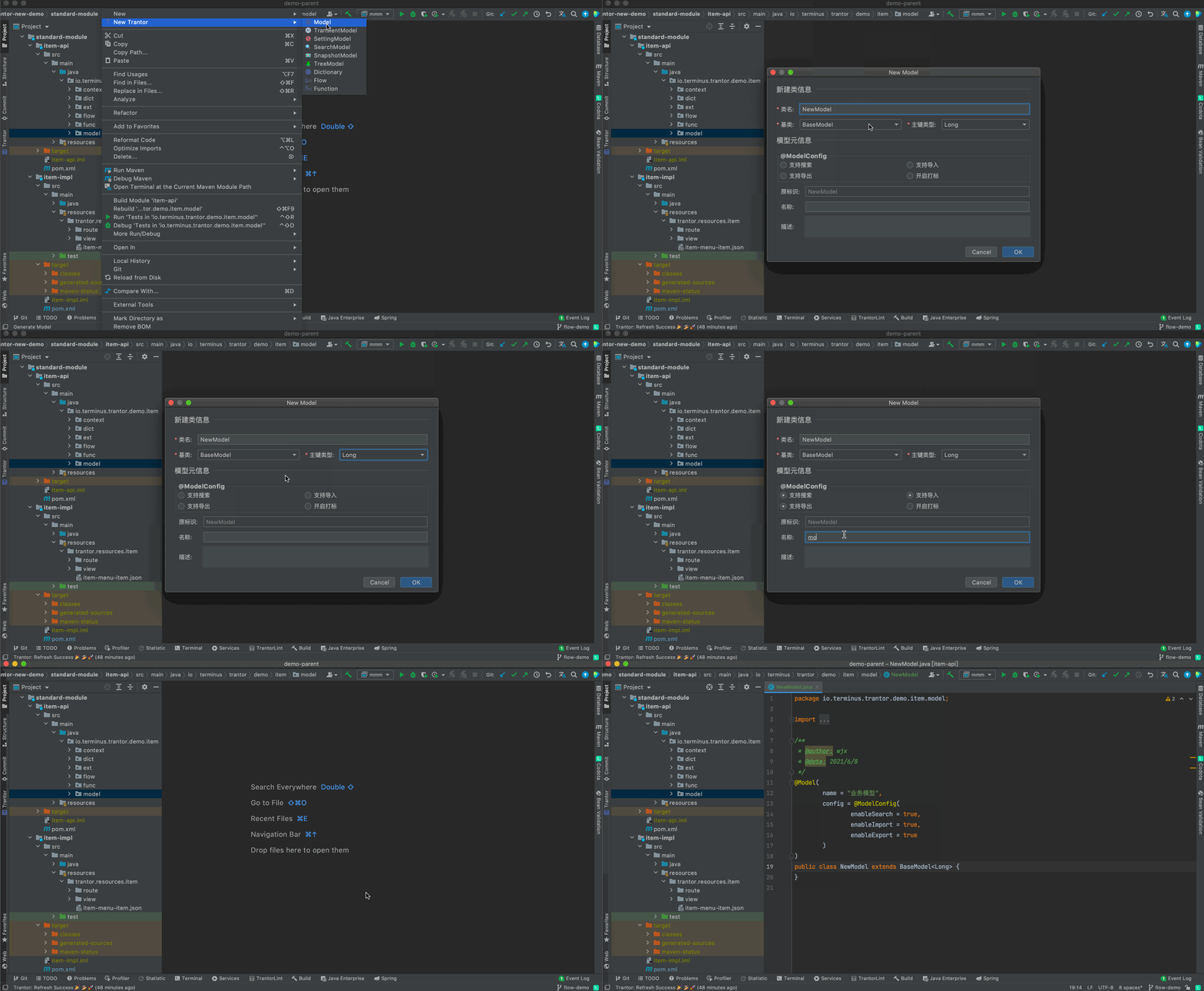
Project窗口文件树上,右键 New Trantor ,快捷键⌃⌥⏎,可创建资源 :
- Model
- TransientModel
- SettingModel,trantor >=0.16.1
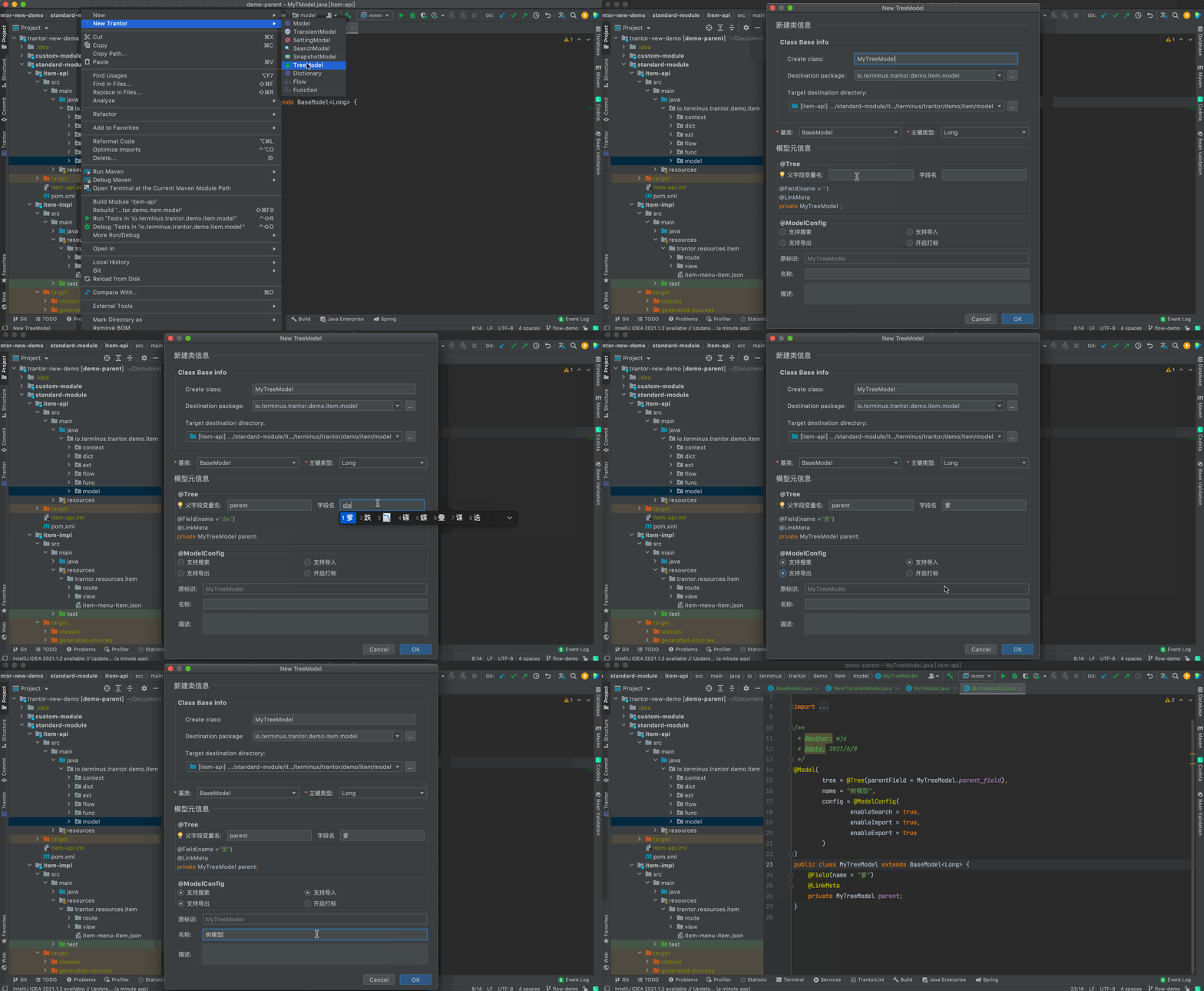
- SearchModel,trantor >=0.16.1
- SnapshotModel,trantor >=0.16.1
- TreeModel,trantor >=0.17
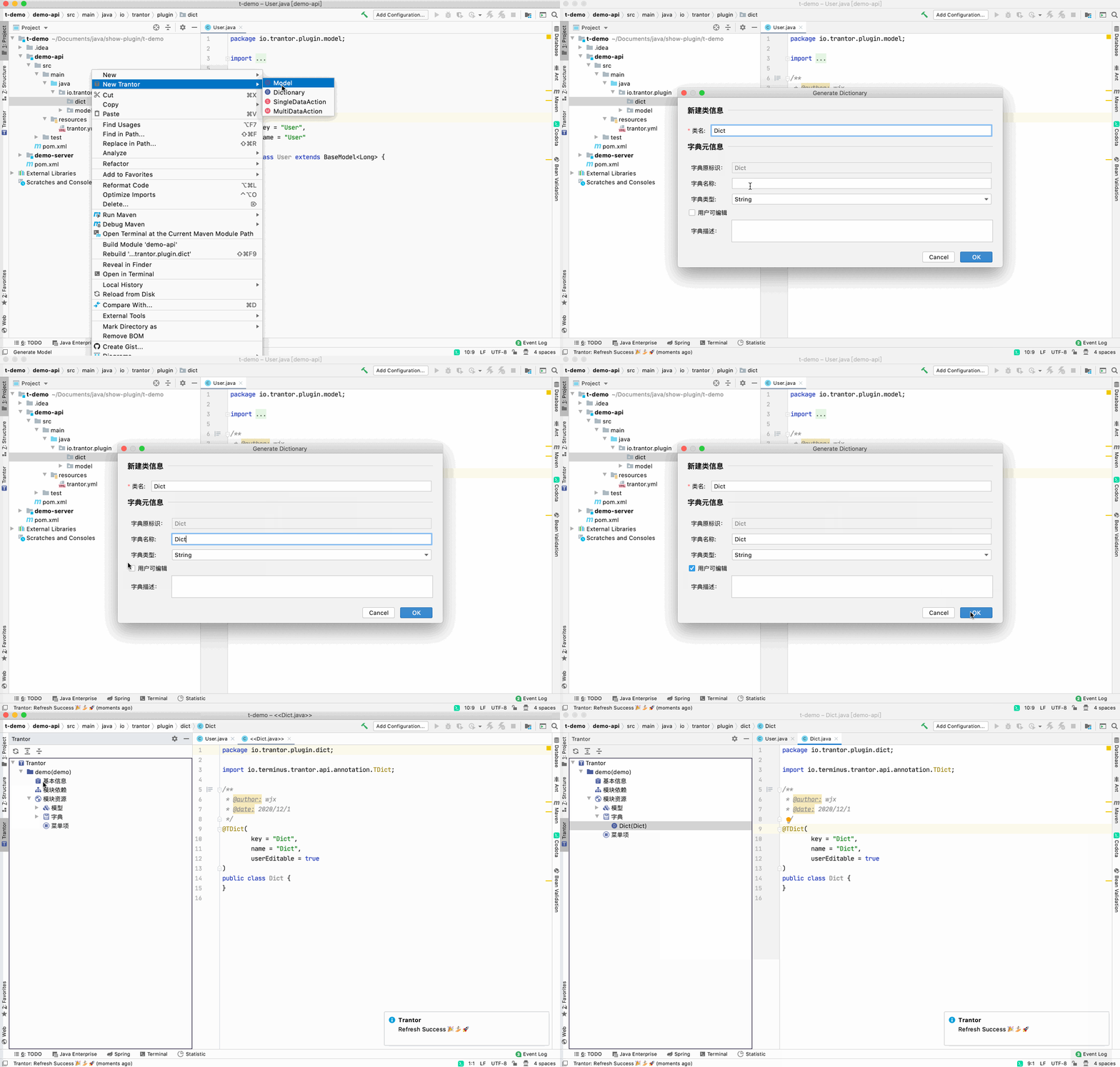
- Dictionary
- Func,trantor >=0.16.1
- Flow,trantor >=0.16.1
- View,trantor >=0.16.1
- UnitTest,trantor >=0.16.1
业务模型
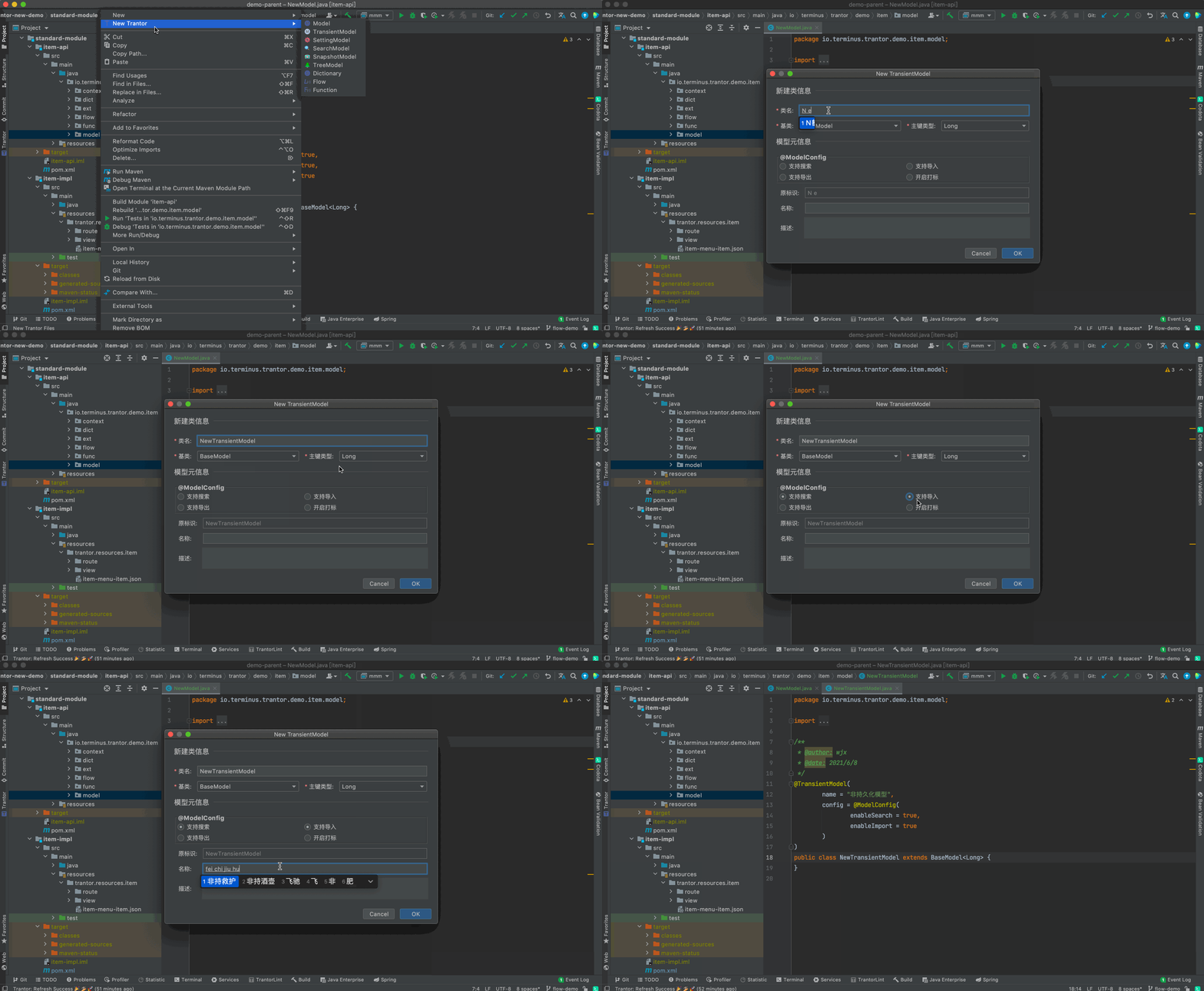
非持久化模型
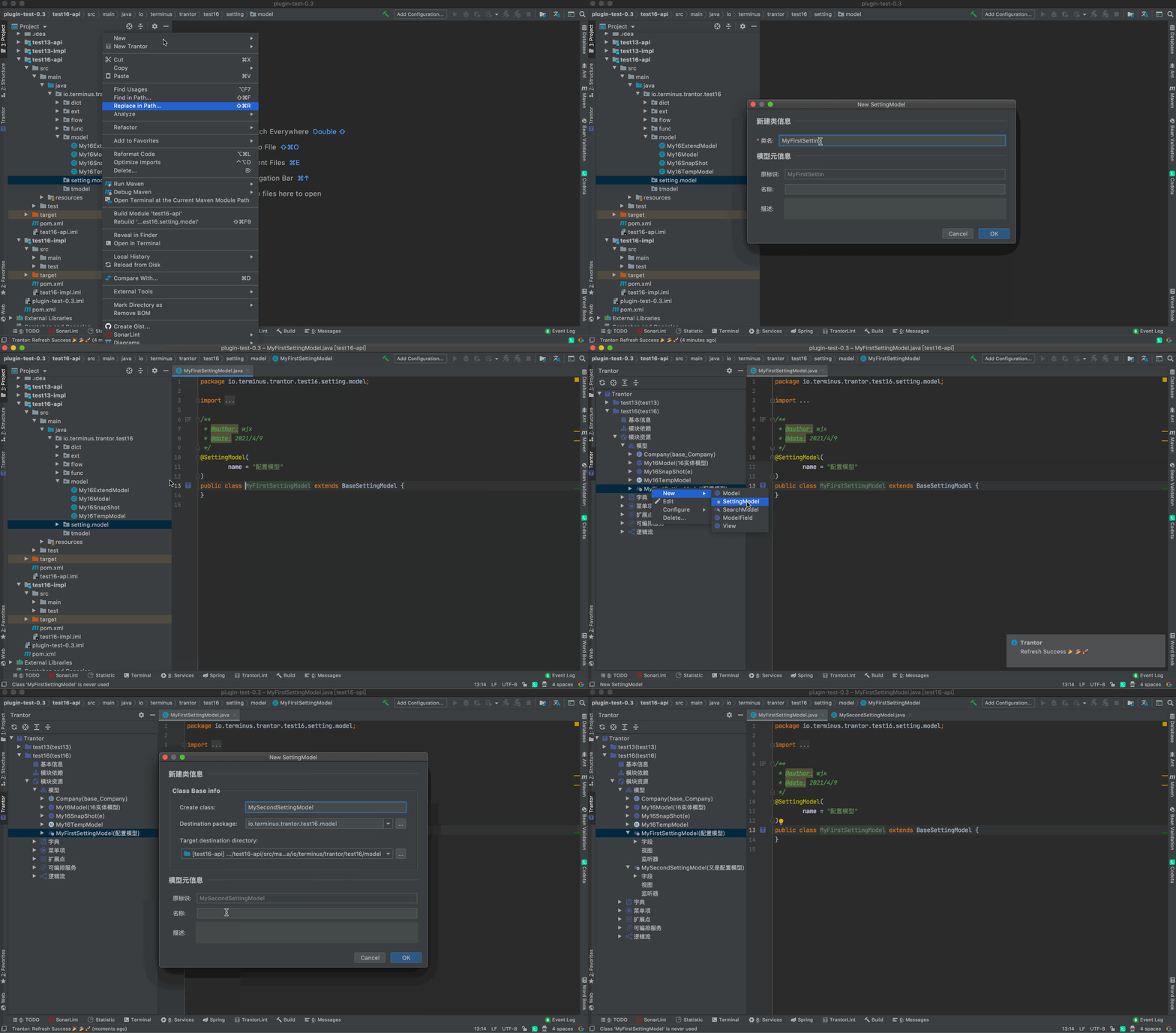
配置模型
搜索模型
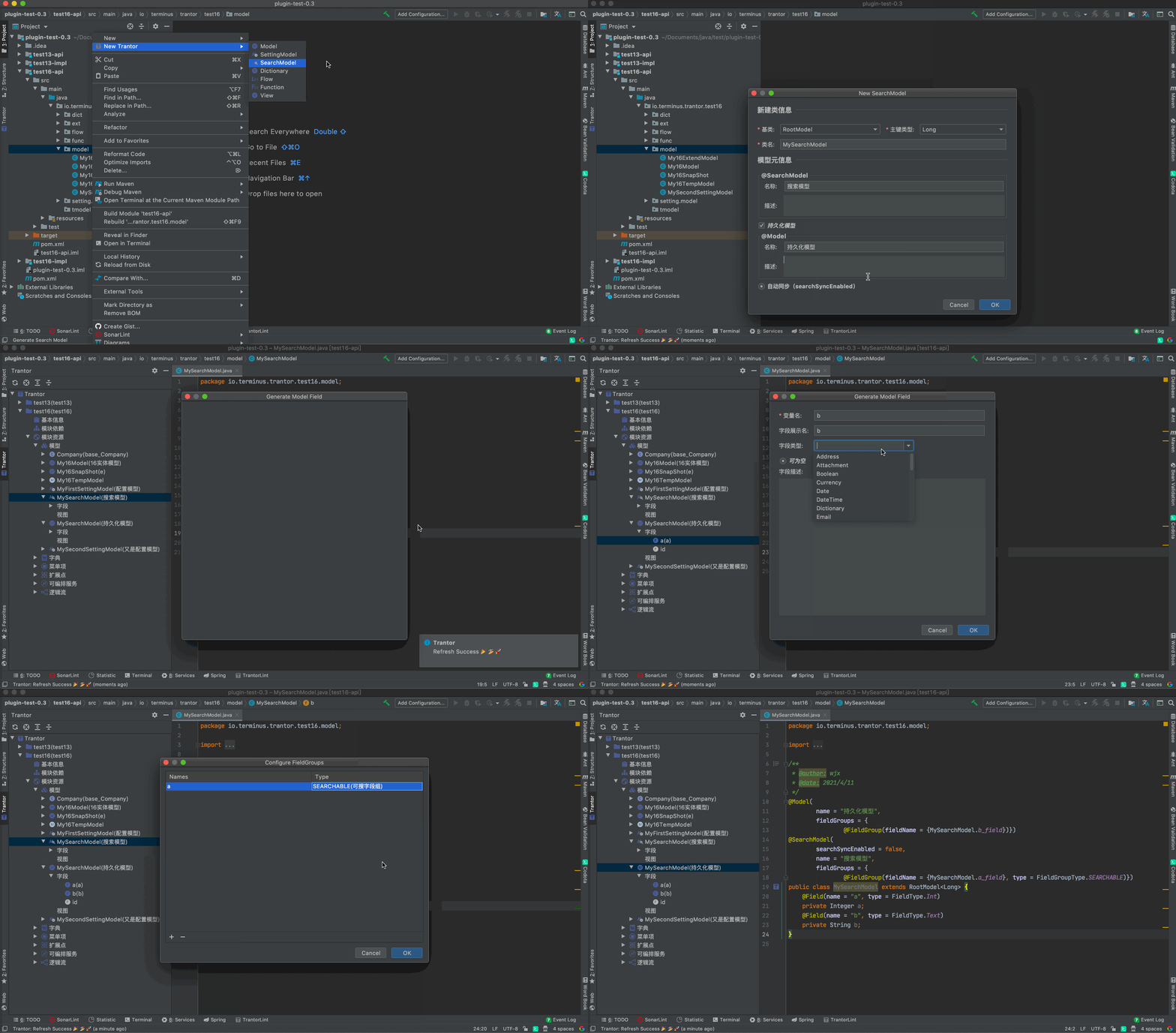
快照模型
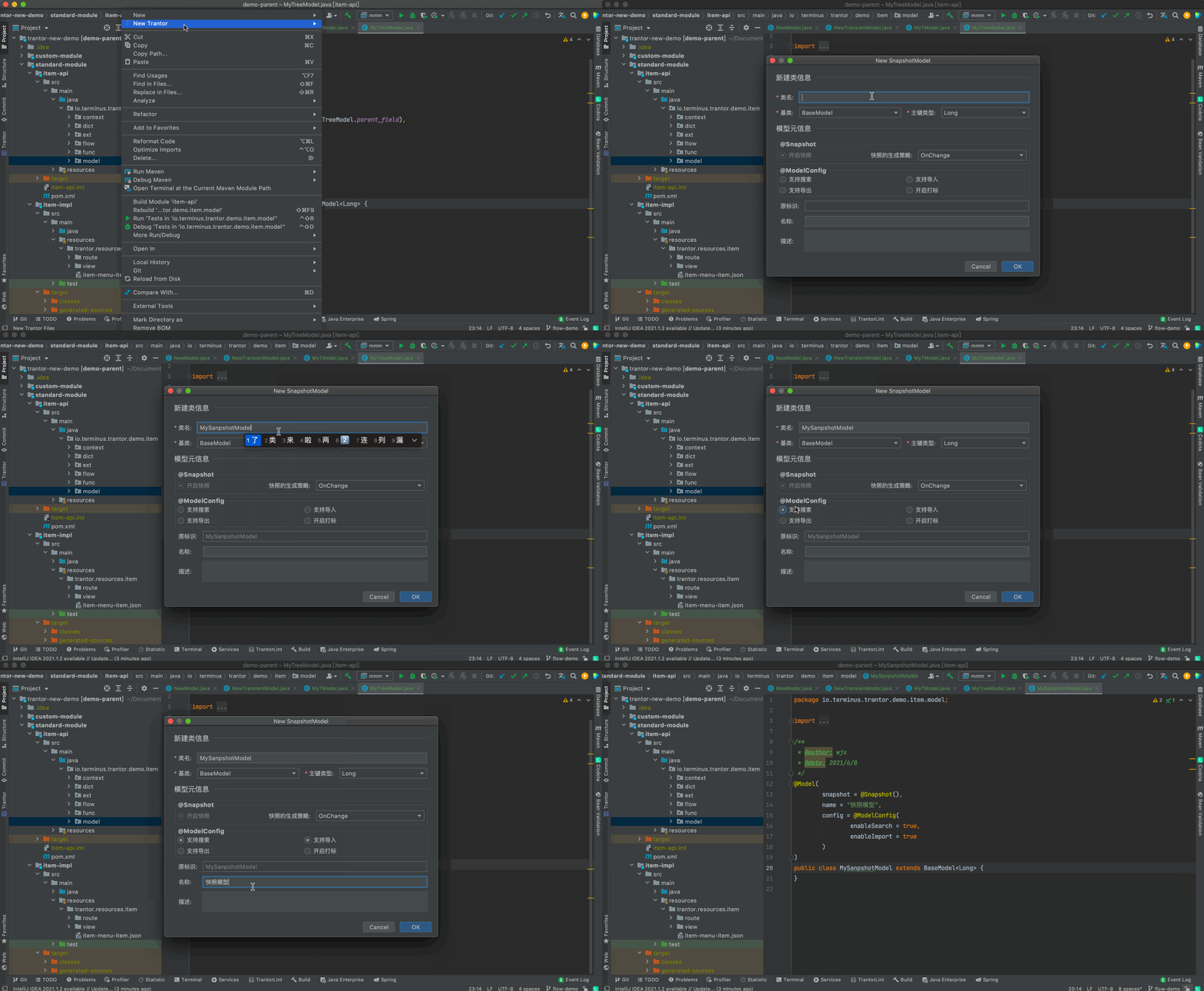
树模型
字典(Dictionary)
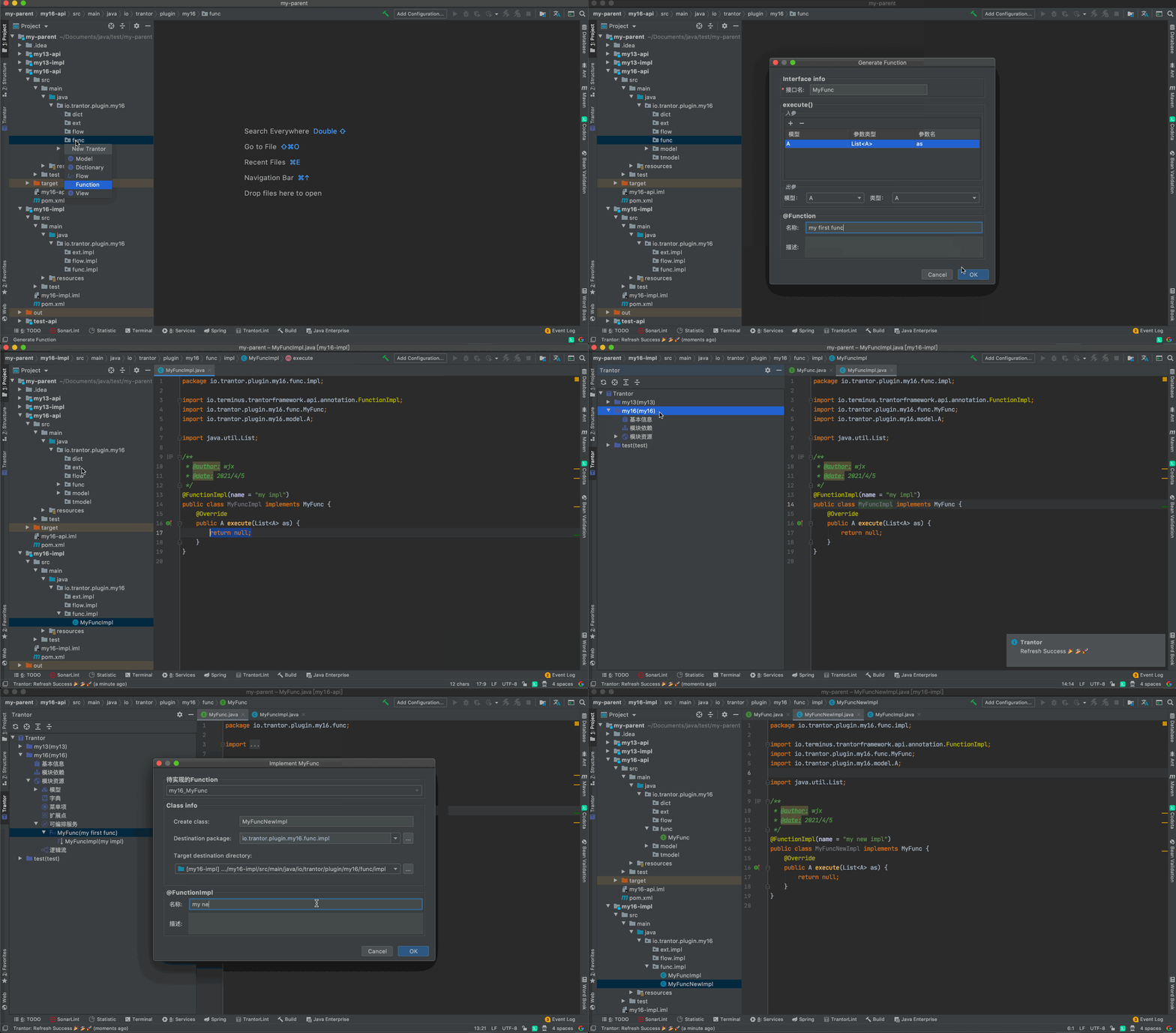
可编排服务
插件创建可编排服务声明后会引导创建实现。
若想单独创建实现,可在声明的Interface上 右键 | show context actions | implement function ,快捷键⌥⏎创建。
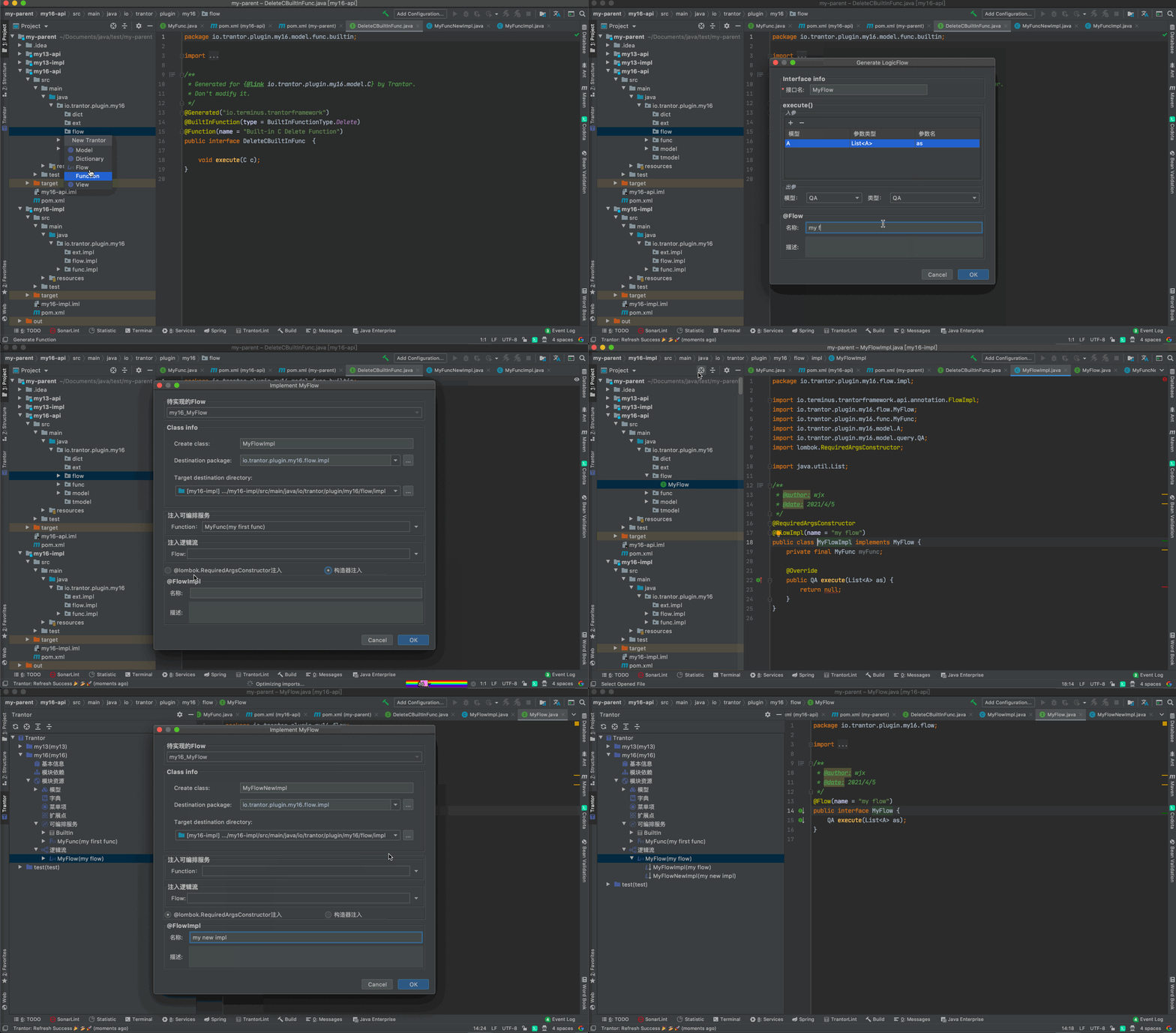
逻辑流
插件逻辑流声明后会引导创建实现。
若想单独创建实现,可在声明的Interface上 右键 | show context actions | implement flow ,快捷键⌥⏎创建。
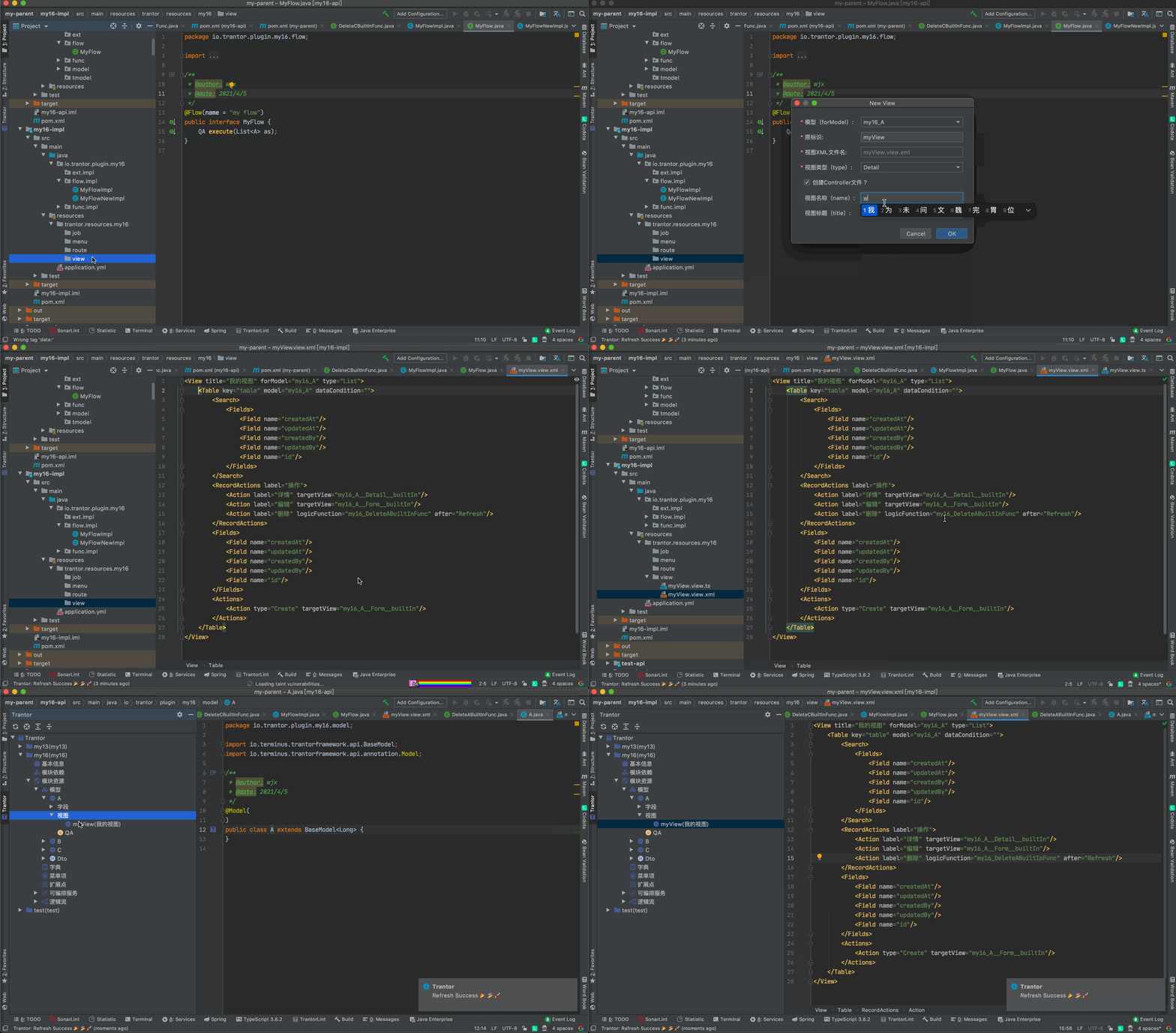
视图
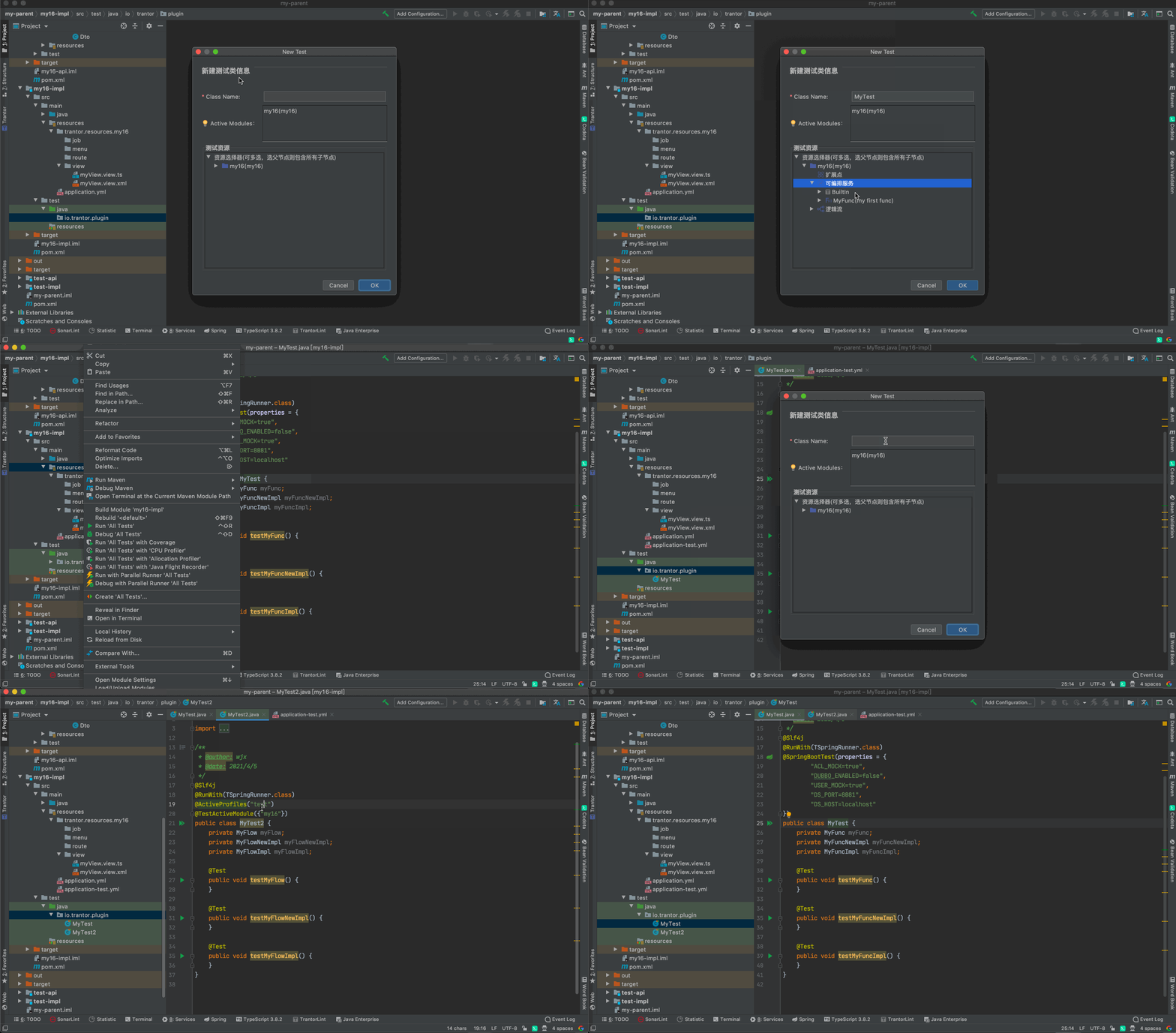
单元测试
插件会将trantor env的环境变量注入@SpringBootTest,若存在application-test.yml,则优先使用@ActiveProfiles(test)。
Genarate Trantor
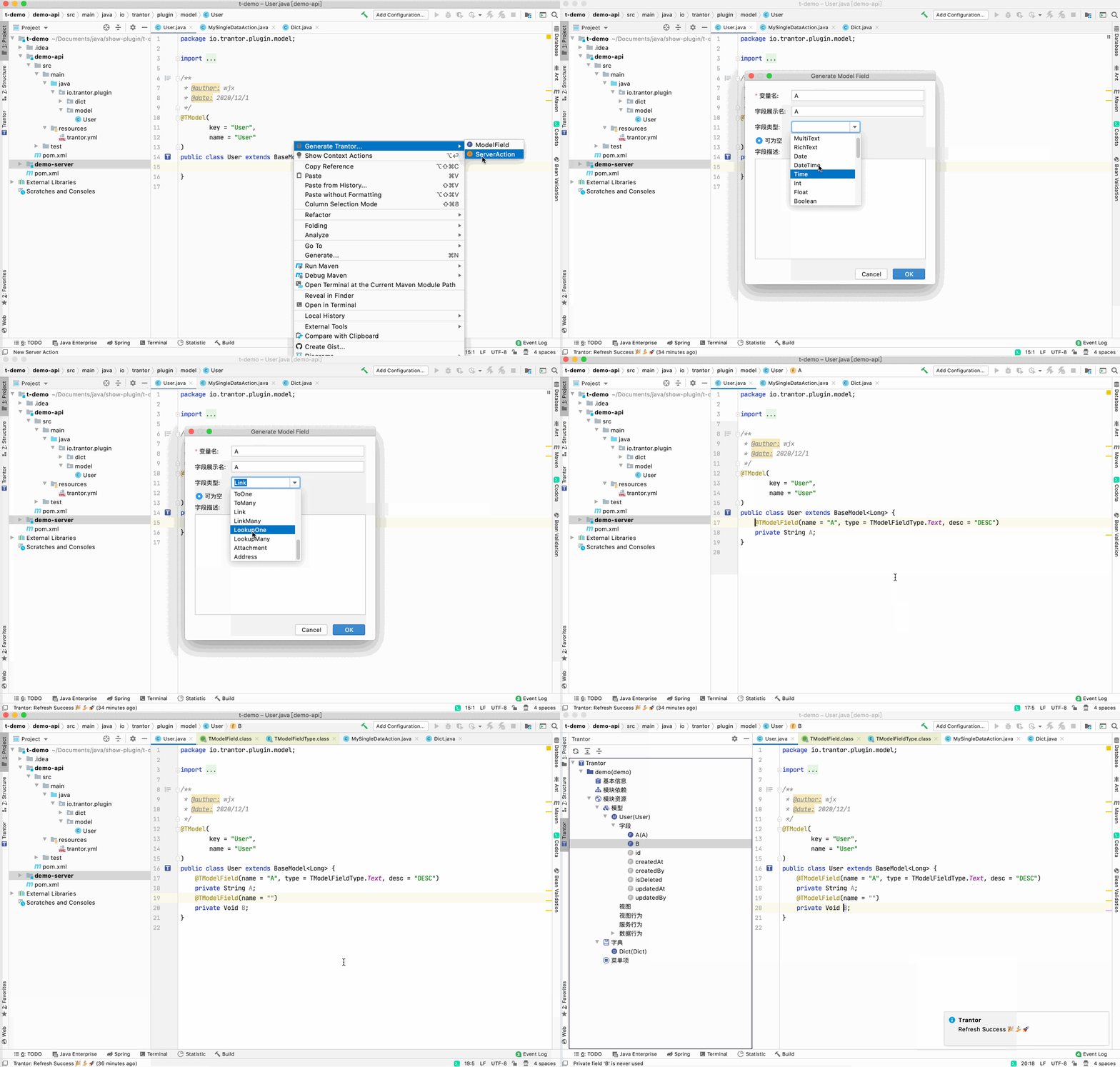
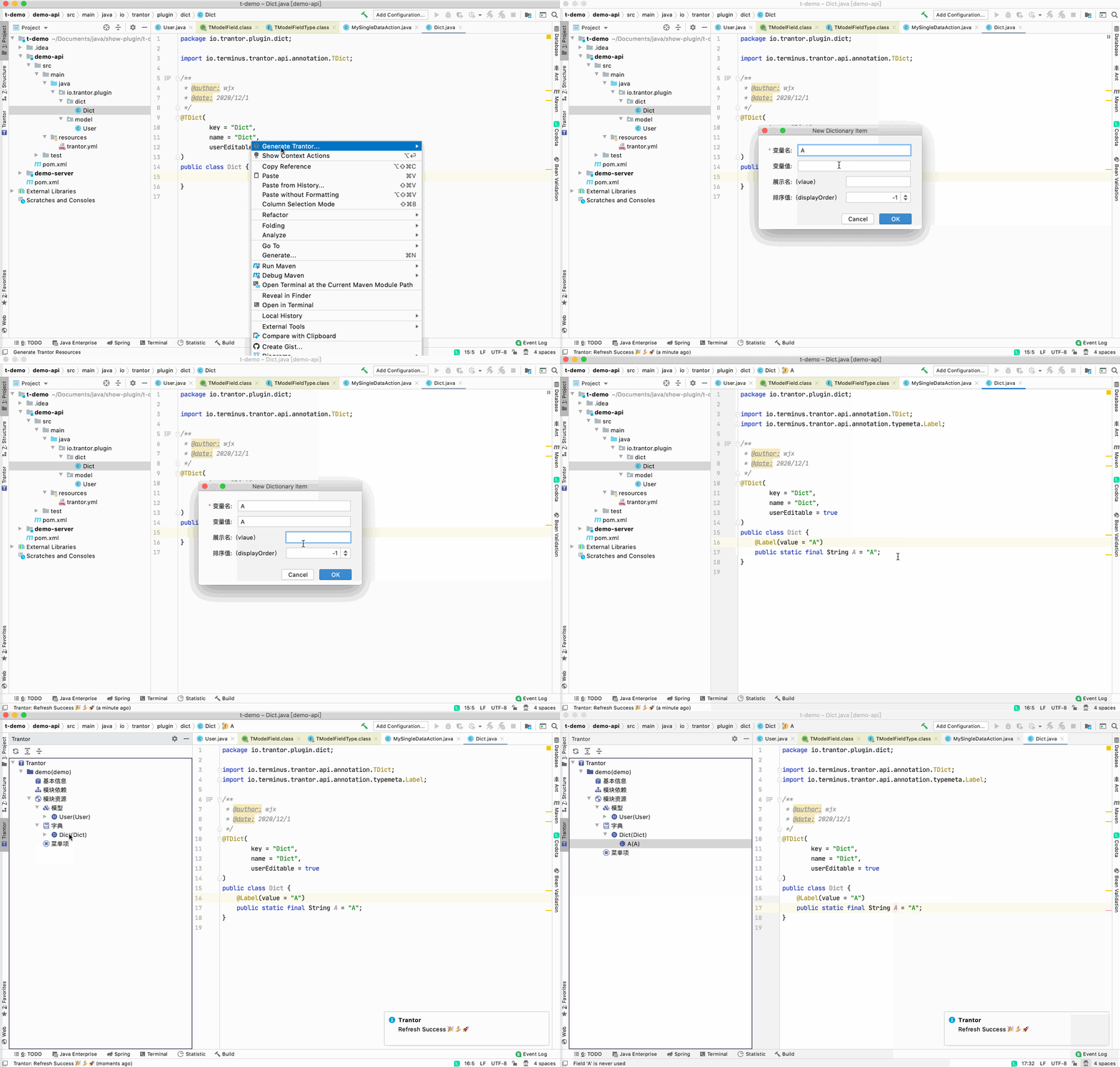
将光标定位在**代码编辑窗口(Editor)**希望添加Trantor资源的行,右键Genarate Trantor...(快捷键⌃⌥T),可创建Trantor资源:
- ModelField
- Dictionary Item
- View
字段(ModelField)
Tips:字段必须在模型类里创建
字典项(DictionaryItem)
Tips:
- 字典项必须在字典类里创建
- 字典项类型根据字典类型自动判断
视图
Tips:
- 视图行为必须在视图清单 “view-manifest.json” 里创建